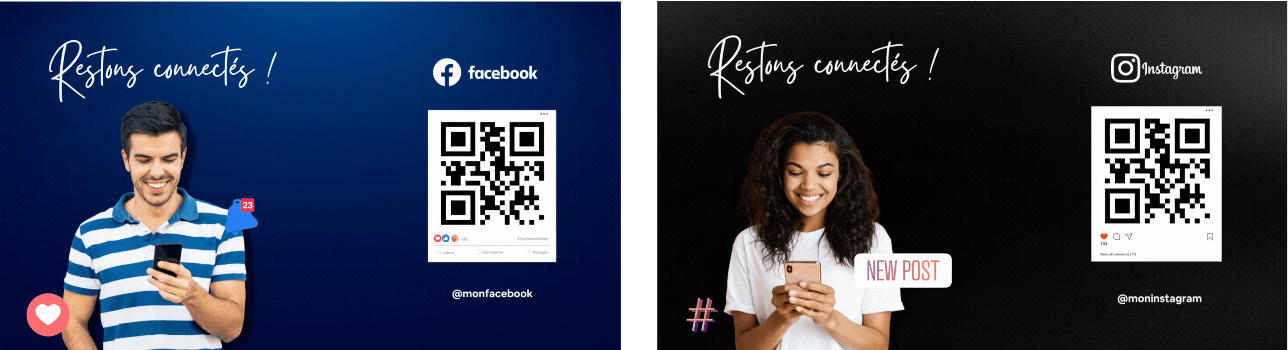
By activating the connected service "QR-Code Social Networks" you can encourage passers-by to follow your Instagram and/or Facebook page. Useful for gaining new followers
How do you do it? Follow the guide!
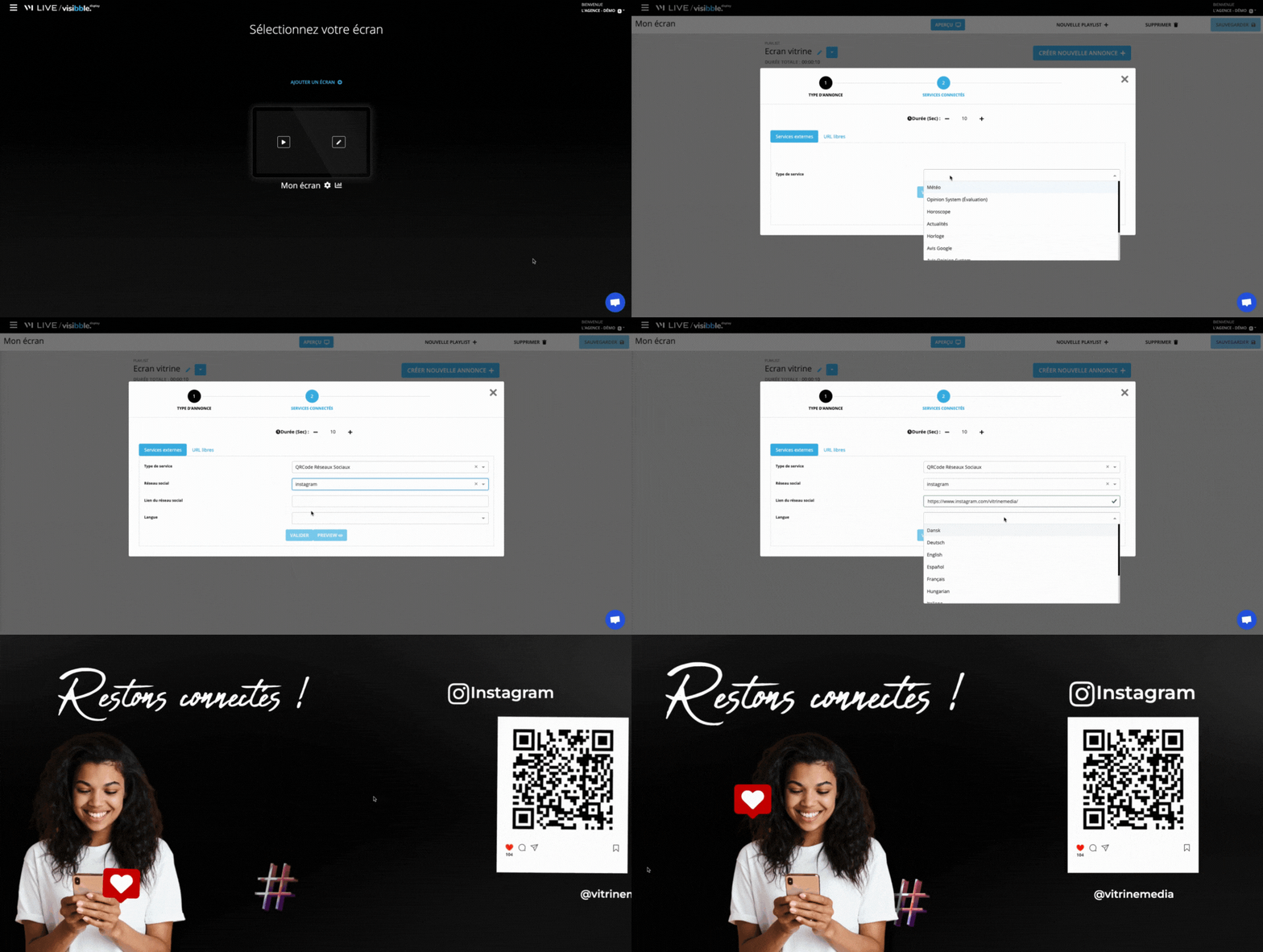
Go to the playlist being broadcast or create a new one!
Click on "Create a new ad".
Choose "Connected Services", then select "QR-Code Social Networks".
You want to display the "Instagram" QR-Code
Select "Instagram" from the drop-down list
Enter the URL of your Instagram account
Select the language you wish to display
Confirm
How do you find the URL of your Instagram account? - From your computer, go to:https://www.instagram.com/- Enter the name of your Instagram account - The URL is in the address bar of the browser.
You wish to display the "Facebook" QR-Code
Choose "Facebook".
Enter the URL of your Facebook page
Select the language you wish to display
Confirm
How to find the URL of your Facebook page? - From your computer, go to:https://www.facebook.com- Go to the desired page - The URL can be found in the address bar of the browser.
Explanations in pictures:
If you have a VIDEOWALL, we advise you to add this connected service via the screen division by 4.
Explanations in picture
If you have a video wall, we recommend adding this connected service via the 4-way screen division.