On the home page, you will find various elements that will help you to set up and customise your broadcast screens. On the left side of your screen, you will find the Burger icon ( ☰ ): this is the icon with 3 horizontal bars.
On the right side of your screen, you will see that you are well connected to your account. Under each of the screens, you will notice a gear: this icon means that you can set up some information on your screen.
By clicking on this gear, a pop-up window will appear: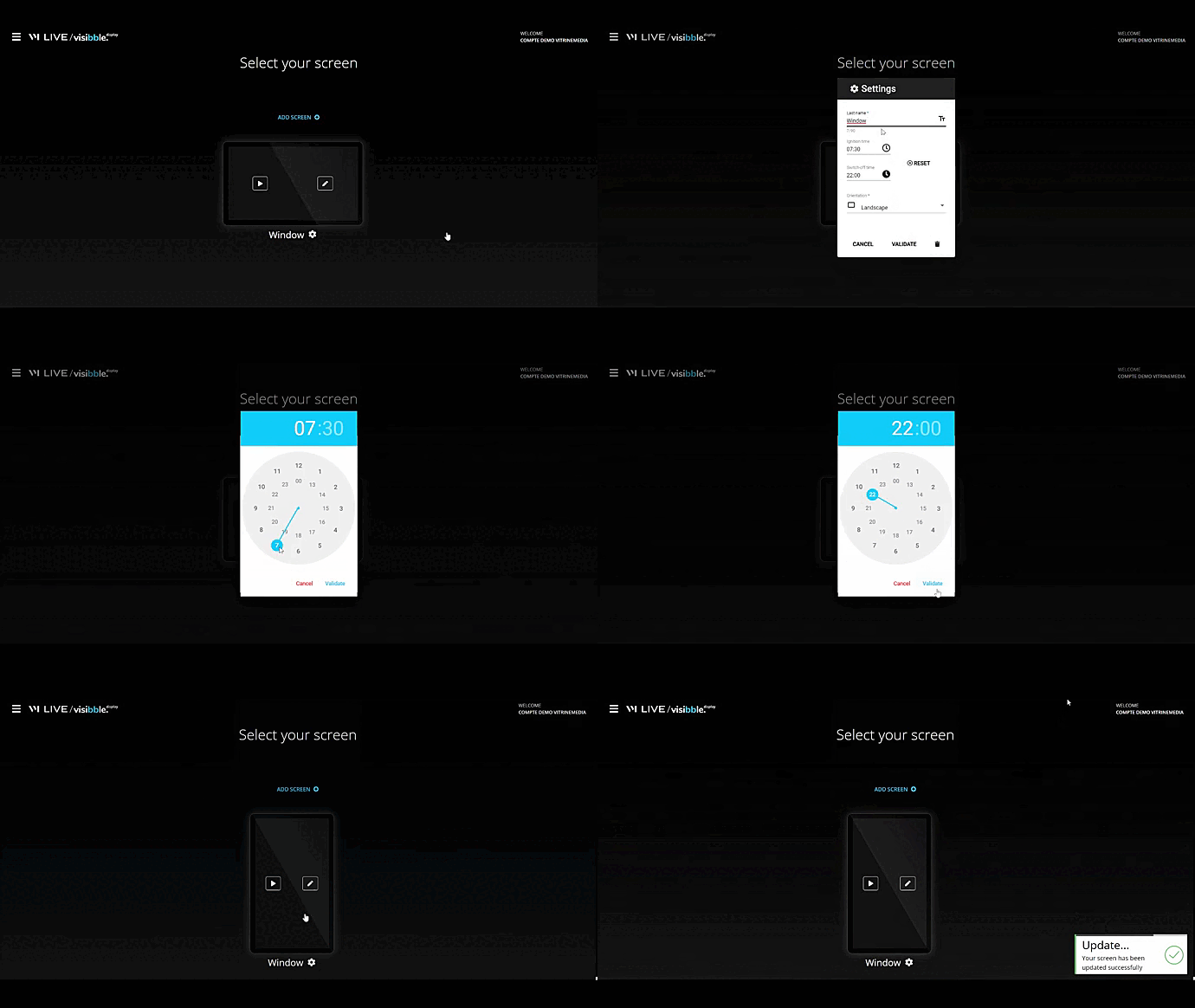
As you can see, you can change the name of your screen, choose the time you want the screen to turn on, the time you want the screen to turn off, and the portrait or landscape orientation of your screen.
In France there is a law that informs us of the switch-on and switch-off times for shop windows! If a similar law exists in your country, please do not hesitate to send us information so that we can add information in your HelpCenter.
Visibble Display - Understanding the home page
- Updated