Interact directly with passers-by from your window!
You can activate a QR code on your templates, to make your screen more dynamic than ever!
There are now two types of QR code
The Visible QR code
This QR code redirects people to the Visibble page of your mandate.
This web page gives people more information (more photos, main information about the property) and gives them the possibility to leave you a message, call you, etc.
(Here is an example: https://app.visibble.io/agencevisibble/6500)
The QR code Website
This QR code redirects the passerby to the mandate page of your website!
⚠️ Please note, activating the QR code website requires a certain setting, indeed, we must check that your business software communicates this information to us.
If you wish to activate the website QR code, please send us a request by filling out the following form: https://visibble.typeform.com/qrcode-siteweb.
If you are an Apimo or Adaptimmo customer, you don't need to send us a QR code activation request. You just have to follow the procedure presented below :)
How do I enable or disable this feature?
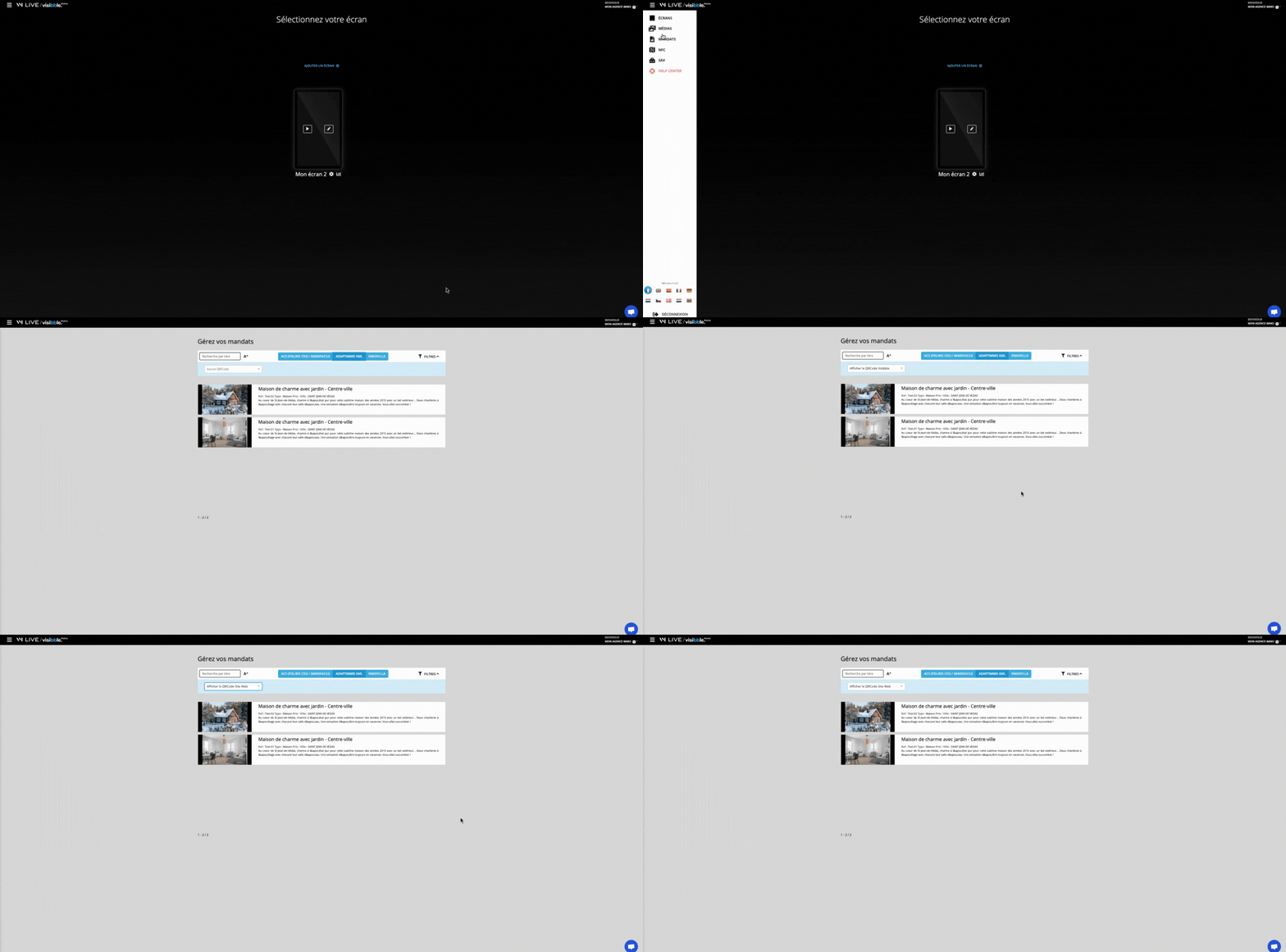
To activate this feature in your agency's Visibble Display space (formerly VM LIVE):
Go to the mandates page
Select from the proposed list: No QR code, Visibble QR code, QR code website
It's over 🔥